














Android and iOS account for 99.97% of worldwide mobile operating-system usage in StatCounter's October 2026 measurement, according to its global mobile OS chart. That measures observed web activity, not installed phones or shipments. For an enterprise product team, the striking conclusion isn't that these platforms dominate. It's that reaching almost the entire mobile audience still requires managing substantially different engineering risks.
Choosing between iOS and Android is therefore less about comparing feature lists than deciding where to absorb cost: native implementation, shared-code maintenance, device testing, release governance, or security controls. The useful question isn't which platform wins. It's which delivery model your team can operate reliably for the users and markets that matter.
Table of Contents
- iOS and Android at a Glance
- Market Reach Across Mobile, Tablet and Desktop
- Platform Control, Updates and User Experience
- Choosing Native or Cross-Platform Development
- Testing Android Across Device Tiers
- Security, Messaging and Compliance Tradeoffs
- Choose Your Mobile Strategy by Situation
iOS and Android at a Glance
Both platforms reach nearly the entire global mobile audience, but they distribute engineering responsibility differently. Apple concentrates platform decisions within an integrated ecosystem; Android distributes responsibility across the operating-system platform, hardware manufacturers, carriers, and application teams.
That difference changes who investigates a failed notification, which devices need regression testing, and how much control your release manager has over the environment receiving an update.
iOS and Android compared on six planning criteria
| Criterion | iOS | Android |
|---|---|---|
| Hardware sources | Apple devices only | Many manufacturers across every price tier |
| Languages and UI toolkits | Swift with SwiftUI | Kotlin with Jetpack Compose |
| App distribution | App Store in most markets | Google Play plus sideloading and alternative stores where allowed |
| OS update control | Apple sets one update path for its devices | Manufacturer and carrier timing varies |
| Testing matrix | Narrow hardware portfolio | Wide spread of screen sizes, chipsets and OS versions |
| Default messaging and sharing | iMessage and AirDrop | Google Messages with RCS and Quick Share |
This table is a planning reference, not a verdict. Its language and toolkit entries describe common native starting points, not exclusive implementation choices. Likewise, messaging and sharing entries identify familiar ecosystem services, not guarantees that every device, account, or enterprise policy enables them.
Translate platform characteristics into ownership
A narrower hardware portfolio makes it easier to define a representative device list. It doesn't remove the need to test older supported hardware, accessibility settings, interrupted sessions, or application upgrades.
Android's broader hardware choice can support different procurement budgets and field-work requirements. The engineering consequence is that your team must explicitly define the supported experience instead of treating successful execution on a developer's handset as acceptance.
Distribution also deserves a named owner. An application isn't finished when its binary builds: someone must manage signing, submission, rollout, support diagnostics, and recovery when a release fails. Sharing source code won't automatically consolidate those responsibilities.
Budget lens: Compare the cost of maintaining an acceptable user journey on each platform, not simply the cost of producing each binary.
For a camera-led inspection product, hardware integration and device coverage may dominate. For an employee workflow application, identity integration, managed deployment, and update policies may matter more than rendering technology.
Identify the two rows most likely to drive your budget. Use those constraints to choose the depth of architectural evaluation, device testing, and release governance before committing to a framework.
Market Reach Across Mobile, Tablet and Desktop
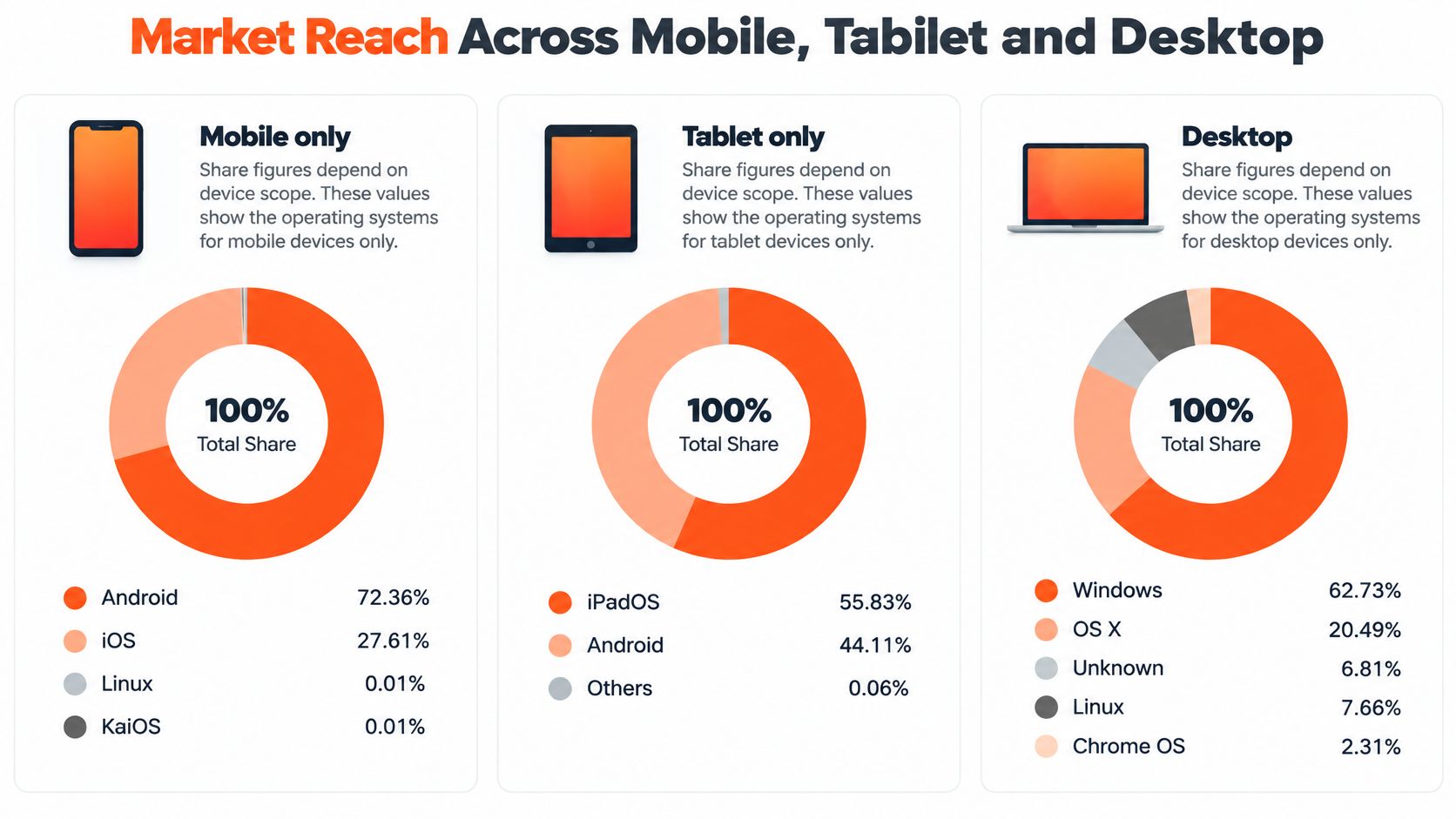
Every market-share percentage needs a device scope. A mobile-only chart answers a different question from a chart that includes tablets, consoles, or desktop computers. Treating them as interchangeable can produce a precise-looking but poorly targeted investment decision.
StatCounter's worldwide mobile measurement reports Android at 72.36%, iOS at 27.61%, and Linux and KaiOS at 0.01% each for October 2026. These are observed web-usage shares, not shipments or installed-device counts, so they indicate audience activity rather than a direct count of potential app customers.
Compare matching denominators
For October 2026, StatCounter's mobile-and-tablet chart records Android at 71.83% and iOS at 28.13%, with Linux and KaiOS at 0.01% each. Including tablets therefore moves the measured balance modestly toward Apple, but it doesn't establish the device mix of a particular school or field-service fleet.
The mobile, tablet, and console measurement records Android at 71.79%, iOS at 28.12%, Xbox at 0.04%, PlayStation at 0.02%, and Linux and KaiOS at 0.01% each for the same month. Console inclusion adds little to this particular comparison, but still changes what the percentage describes.
In StatCounter's desktop-and-mobile measurement, October 2026 shares are Android 44.45%, Windows 29.57%, iOS 16.96%, OS X 3.80%, macOS 2.24%, and Linux 2.18%. Windows and desktop Apple environments must therefore enter web-testing decisions separately.
Market share by device scope, October 2026
| Device scope | Android | iOS | Other platforms |
|---|---|---|---|
| Mobile only | 72.36% | 27.61% | Linux 0.01%, KaiOS 0.01% |
| Mobile and tablet | 71.83% | 28.13% | Linux 0.01%, KaiOS 0.01% |
| Mobile, tablet and console | 71.79% | 28.12% | Xbox 0.04%, PlayStation 0.02%, Linux 0.01%, KaiOS 0.01% |
| Desktop and mobile combined | 44.45% | 16.96% | Windows 29.57%, OS X 3.80%, macOS 2.24%, Linux 2.18% |
The infographic's tablet-only and desktop-only views use different denominators from the combined views in the table. Don't substitute one for another.
- App priorities: Use mobile-only usage as an initial release and analytics reference.
- Web coverage: Use the combined view to establish mobile and desktop test coverage.
- Market selection: Check country-level measurements and your own analytics before allocating teams.
Set iOS build priority to match the device scope your users rely on, not a global headline.
Platform Control, Updates and User Experience
Apple's integrated model puts operating-system development, core hardware, distribution, and services under coordinated control. Its account of the iPhone's first decade provides the historical context for that tightly integrated platform model. For engineers, the practical advantage is a more bounded environment for compatibility work and hardware-specific tuning.
Android's distributed model offers hardware choice, but application teams must account for manufacturer interfaces, battery-management behavior, and notification settings. A supported API is a starting point for validation, not proof that an operational workflow behaves identically across devices.
Background work isn't a delivery guarantee
Consider a scheduling application that refreshes appointments while the user isn't looking at it. On iOS, the team can validate against a more controlled hardware environment, but it still can't promise arbitrary background execution. The application must handle delayed refreshes and reconcile with the server when reopened.
On Android, add tests for manufacturer battery restrictions and device-specific background behavior. If a refresh is deferred, the fallback might be a visible last-updated indicator, foreground synchronization, and a server-side reminder flow. Neither platform should make silent background execution the sole dependency for a critical appointment.
Permissions require the same discipline. Location, photos, and notifications may all be central to a workflow, but the design must accommodate denial, limited access, and later revocation. Notification channels and background-task rules also require platform-specific implementation rather than identical permission screens.
A reliable interface explains what the application can do now, what permission it needs, and what still works when the user declines.
Govern updates without assuming adoption
Apple's common release path simplifies setting a fleet's minimum supported OS version. It doesn't guarantee uniform adoption: device eligibility, available storage, organizational policy, and user action still need attention.
For Android fleets, record manufacturer support commitments alongside hardware procurement decisions. Managed-device policies should account for mixed hardware and patch timing, with an explicit response when a device no longer meets the organization's requirements.
Those decisions belong in interaction design, not just infrastructure documentation. The enterprise UX/UI design guidance is a useful companion when translating technical restrictions into understandable recovery flows.
Before design starts:
- List critical behaviors, such as background execution, push delivery, and file access.
- Check each behavior on both platforms, including denied permissions and interrupted sessions.
- Specify fallbacks before a screen assumes that a capability is always available.
Which platform's rules can your team accept, and which must it work around?
Choosing Native or Cross-Platform Development
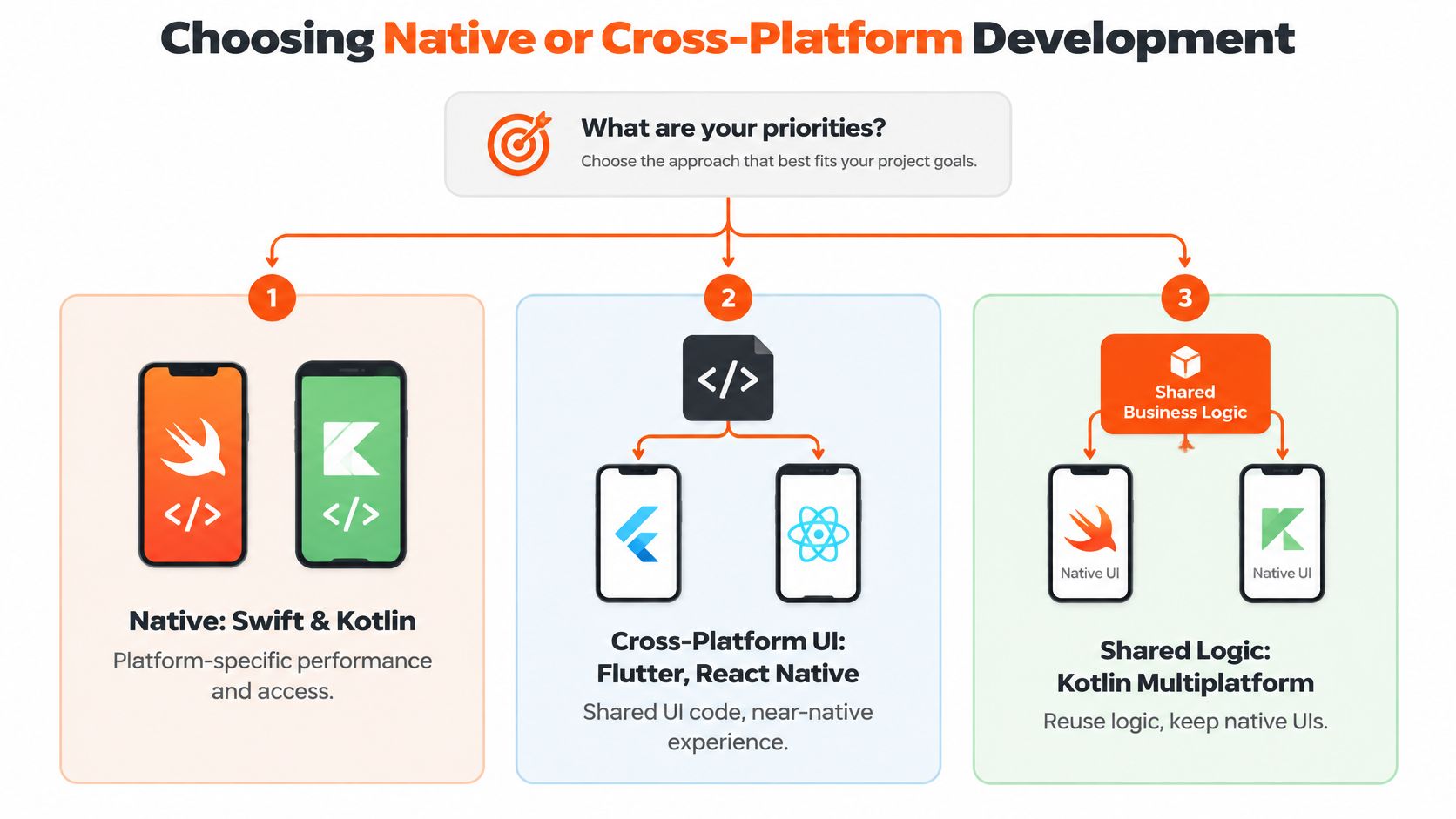
The key architecture decision is where code sharing reduces total delivery and maintenance cost without shifting too much work into platform-specific adaptation. Fully native development uses Swift and Kotlin for iOS and Android applications. Cross-platform UI frameworks, including Flutter and React Native, share interface implementation. Kotlin Multiplatform can share business logic while retaining native interfaces.
Reuse can keep validation and domain rules consistent across platforms. Sharing a complex interface can also add integration, rendering, accessibility, and upgrade work. The trade-off depends on the product's requirements and on how much adaptation its critical user journeys need.
Measure the abstraction before committing
In tested workloads, the comparative benchmarking document reports that Flutter consumed approximately twice the CPU and memory of native iOS. It also reports package sizes for a business application before and after migration from native to Flutter: 79 MB versus 40.1 MB on iOS and 141 MB versus 29.2 MB on Android.
Native baseline versus cross-platform results
| Measure | Native baseline | Flutter result |
|---|---|---|
| iOS app package size | 40.1 MB | 79 MB |
| Android app package size | 29.2 MB | 141 MB |
| CPU and memory on iOS | 1x | About 2x in tested workloads |
| CPU and memory on Android | 1x | No specific value reported |
The Android row should not imply a measured overhead that the cited document does not state. The available results support benchmarking a candidate implementation, not applying a universal performance penalty to Flutter. They also do not establish equivalent overhead for React Native or Kotlin Multiplatform. A measured implementation result is not a ranking of all frameworks.
Use this decision sequence:
- List product dependencies, including checkout, camera capture, offline storage, authentication, image-heavy screens, and accessibility requirements.
- Classify performance sensitivity. A text form and a continuously updating camera preview call for different implementation strategies.
- Benchmark against native baselines on the slowest supported device. Compare cold start, peak RAM, image-heavy rendering, and package size under equivalent workloads.
- Choose a sharing boundary that keeps critical journeys within their agreed budgets, including the cost of platform-specific integration.
Choose by workload, not code-sharing percentage
A content-heavy catalogue may benefit from native image handling when large images, scrolling, and memory pressure dominate the experience. Test realistic image dimensions, cache behavior, and navigation sequences, rather than relying on an empty demonstration screen.
A form-based workflow may suit shared UI if validation, navigation, and accessibility remain straightforward. The apparent cost advantage erodes when ordinary platform behavior repeatedly requires framework workarounds.
For demanding products, sharing business logic while retaining native interfaces where rendering, startup, or platform capabilities matter is a hypothesis worth testing. It does not require separate screens everywhere. Compare approaches with this mobile application framework guide, then evaluate the costs against the product's workload and release process.
A passing result means the candidate meets explicit experience budgets on supported hardware, handles failure states, and leaves the team with an understandable upgrade and release process. Maximum shared code is not an acceptance criterion. For React Native submission considerations, consult LetsDeployIt's app review breakdown.
Testing Android Across Device Tiers
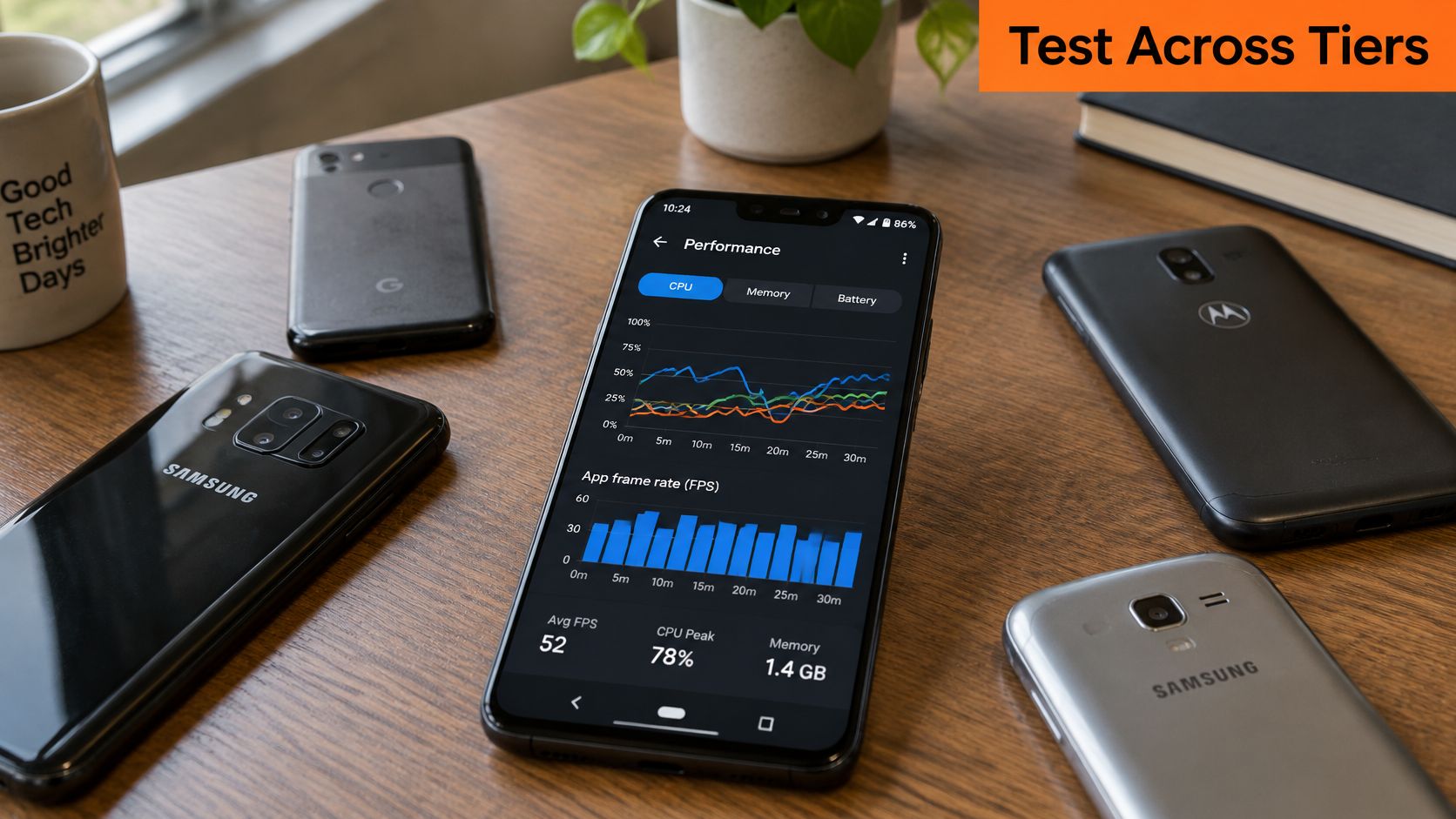
An empirical study published in Empirical Software Engineering evaluated 1,322 versions of 215 Android applications across more than 27,900 execution scenarios, measuring runtime, memory, and energy. It found that coding practices can affect these measures differently across execution contexts. This supports treating Android as several performance targets, rather than assuming one benchmark handset represents the whole platform.
The practical implication is to test optimizations against real user workloads. An improvement on one metric or flagship device does not establish that the change benefits users across device tiers.
Build a bounded performance matrix
- Set budgets before testing. Define acceptable startup time, frame rendering, memory pressure, and energy behavior for critical journeys. Record the workload and measurement method for each budget.
- Choose low-, mid-, and high-end devices. Use the memory capacity common in your target markets as a guide when selecting hardware for each tier. Consider supported markets, processor capability, OS support, and procurement constraints.
- Run identical workloads on each tier. Keep account state, network conditions, image assets, and synchronization volume comparable so that measured differences are interpretable.
- Connect production telemetry to device characteristics. Segment crashes, slow launches, and failed operations by model, manufacturer, OS version, and application release. Collect only the personal information needed.
- Treat general energy advice as a hypothesis. The study cautions that previously reported energy-greedy patterns did not always reproduce consistently, so validate proposed changes under controlled conditions.
Run the full test suite on a representative device from each tier. Use smoke tests on additional models to catch installation, login, navigation, notification, and permission failures, without repeating every workload everywhere. This allocates testing effort to both performance differences and compatibility failures.
Give iOS deliberate coverage too
For iOS, start with a small set of current devices and the oldest hardware you explicitly support. Include compact screens, relevant tablet layouts, and accessibility configurations. Choosing devices only by release recency can leave important layouts and user settings untested.
Separate upgrade tests from clean-install tests. An app can work with an empty database yet fail while migrating existing offline records or restoring an interrupted session.
At devPulse, we test on real devices to catch problems before launch. A written test strategy can assign owners for performance budgets, supported devices, regression triage, and release exceptions.
Release gate: Any critical screen that misses its budget on the supported low tier blocks release until it is fixed.
That gate makes minimum-device support an explicit product commitment. If the team cannot meet it, revise the supported-device policy openly rather than shipping an experience it has not accepted.
Security, Messaging and Compliance Tradeoffs
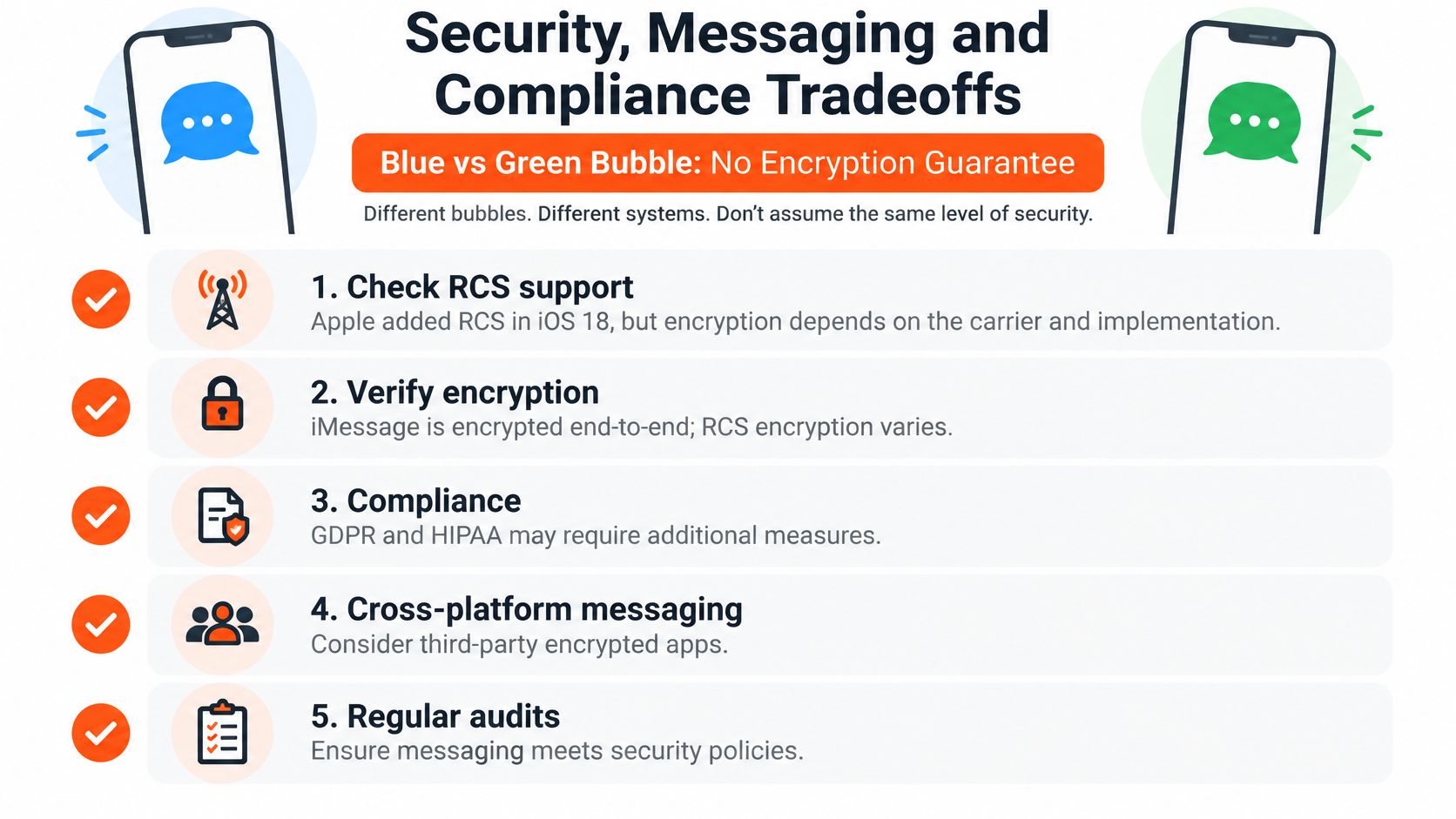
Messaging security depends on the route a conversation takes, not the color of its bubbles. The key questions are whether messages are end-to-end encrypted, whether they can fall back to another protocol, and what content appears in notifications.
Apple added RCS support in iOS 18. Google's messaging guidance explains that cross-platform RCS availability and encryption depend on support. Check software, carrier, and messaging-app compatibility together, because a conversation may still fall back to unencrypted SMS or MMS.
Encryption status by cross-platform conversation path
| Conversation path | Encryption state | What to verify |
|---|---|---|
| iPhone to iPhone through iMessage | End-to-end encrypted | Standard iMessage indicator in the thread |
| Android to Android through Google Messages RCS | End-to-end encrypted when both ends support it | Encryption indicator in the thread |
| iPhone to Android through RCS | Encrypted only when carrier and apps support it | Test on each carrier you serve |
| iPhone to Android through SMS or MMS fallback | Not encrypted | Treat as plaintext and keep sensitive content out |
These are paths to validate, not blanket approval for sending regulated information. Encryption alone does not establish acceptable retention, recipient authorization, metadata handling, or organizational control. Each factor can create a separate compliance or security failure.
Distribution is part of governance
The EU Digital Markets Act addresses obligations for designated gatekeepers, including aspects of alternative distribution and communication about channels outside platform stores. These requirements do not mean every distribution route is available everywhere on identical terms.
For a multi-region product, document which package, signing process, analytics configuration, and support procedure applies to each channel. Security teams also need to identify affected installations, communicate incidents, and direct users to a trusted update path. Alternative distribution therefore adds operational responsibilities alongside commercial choices, and those responsibilities need owners before release.
Make the policy auditable
- Verify conversation state: Check encryption indicators for each supported path, including group conversations and fallback behavior.
- Test market conditions: Exercise messaging across the major carriers and supported software combinations in your operating regions.
- Define secure escalation: If confidential delivery is unavailable, move the exchange to an approved authenticated channel instead of sending plaintext.
- Document regional handling: Record distribution channels, data flows, support access, retention decisions, and incident-response responsibilities.
Keep sensitive content out of lock-screen notifications on both platforms. A generic notice that a secure message is available reveals less than a preview containing a diagnosis, legal matter, or account detail.
Write the policy around approved channels, verified encryption state, prohibited fallback, notification content, and retained test evidence. Assign an owner to review exceptions and specify which events trigger retesting, such as carrier, application, or distribution changes. An auditable policy records how those decisions are made and tested, rather than relying on a general preference for one platform.
Choose Your Mobile Strategy by Situation
The strongest strategy is situational. A global consumer service, a managed tablet fleet, and a regulated professional workflow shouldn't inherit the same architecture merely because all need mobile access.
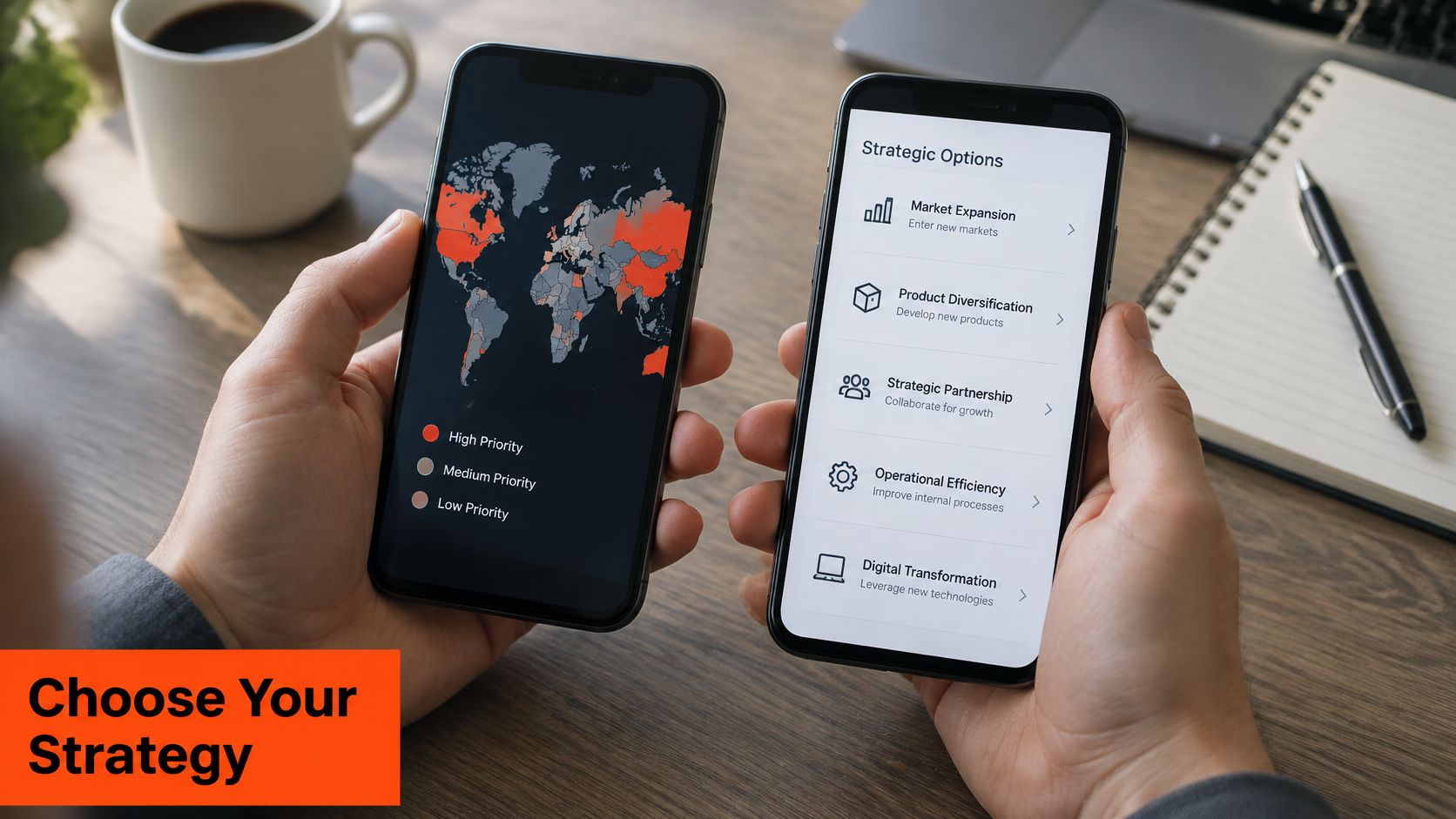
- Global consumer application: Build for both platforms. Use market-specific mobile usage to sequence releases, and fund Android device-tier coverage as part of audience reach.
- Tablet-heavy education or field work: Prioritize iOS tablet-layout validation early, then confirm the actual fleet mix. Combined mobile-and-tablet usage supports considering Apple carefully, not assuming every tablet audience prefers it.
- Regulated healthcare or legal product: Start with native interfaces on each platform and a governed security matrix. Consider alternative distribution only after reviewing update control, support, and incident response.
- Budget-limited MVP: Share business logic and test whether shared UI is sufficient. Preserve native implementation where a critical journey fails its performance or integration requirements.
- Multi-region product with EU distribution: Design region-aware capabilities and distribution records from the start. Don't scatter market-specific behavior through unrelated screens.
Market share shows where users are, while cost and risk show how to build for them.
Before writing code, we analyze the client's workflow, users, and market position at devPulse. That discovery should produce concrete boundaries for the first release rather than a framework preference.
Turn the decision into an actionable sequence:
- List your top markets and the device scope your users use.
- Set Android device tiers and an explicit iOS device list.
- Benchmark the candidate approach against native baselines.
- Draft the security and messaging matrix before committing.
devPulse offers full-cycle development, MVP development, PoC development, platform development, and product development, connecting platform selection with architecture, testing, and ongoing delivery. Visit devPulse to discuss your users, target devices, and security constraints, and define what your iOS and Android builds must prove before release.