












Your order-fulfilment pipeline looks healthy until one region loses access to the inventory API. The ETL job has completed, the payment service has accepted the order, and the notification service is waiting for a state transition that may never arrive. An operator restarts the whole process, the inventory reservation runs again, and nobody can immediately prove whether the customer was charged once or twice.
That incident isn't a scheduling problem. It's a coordination failure. Workflow orchestration tools provide the control plane for sequencing tasks, preserving state, handling exceptions, and showing who or what owns the next decision. The right choice depends less on the longest feature list than on the operating model your enterprise can govern.
Table of Contents
- Why Orchestration Is the Hard Part of Enterprise Automation
- Anatomy of a Modern Workflow Orchestration Tool
- Durable Execution Versus Scheduled Pipelines in Practice
- Enterprise Selection Criteria That Actually Predict Success
- Governance Portability and the Operating Model Question
- Migration and Modernization Without Unnecessary Downtime
- Popular Workflow Orchestration Tools and Where They Fit
- What to Ask Any Vendor Before You Sign
Why Orchestration Is the Hard Part of Enterprise Automation
A production workflow rarely moves from task A to task B in a clean line. It waits for an API, checks a business rule, calls a data service, requests human approval, writes to a system of record, and emits an event for another team. Each handoff introduces a dependency, and each dependency creates a possible timeout, duplicate action, stale response, or ambiguous state.
Cron jobs and scripts work well while one team owns the entire path. They become fragile when the process crosses regions, platforms, vendors, and ownership boundaries. A script can retry a failed request, but it usually doesn't know whether the first request succeeded just before the network connection failed. A scheduler can launch the next job, but it can't automatically explain which business effects already happened.
Treat the workflow as a control plane
The useful mental model is an orchestration control plane with four responsibilities:
- Coordinate execution: Decide which task can run, which tasks must wait, and which branches are conditional.
- Preserve state: Record completed work, outstanding work, approvals, retries, and compensation actions.
- Govern change: Tie workflow definitions to version control, permissions, approvals, and deployment policy.
- Expose operational truth: Show latency, failures, retries, stuck instances, and external side effects.
The Linux Foundation describes workflow orchestrators through the operational triad of programmatic authoring, scheduling, and monitoring, a framing captured in its workflow-orchestrator collection. That triad matters because execution without visibility leaves operators guessing, while visibility without durable state only makes failure easier to observe.
Practical rule: If an operator can't answer “what happened, what is safe to retry, and who owns the next action?”, the enterprise doesn't have reliable orchestration yet.
Hidden dependencies multiply as teams add data pipelines, SaaS integrations, AI services, and human approvals. The steering committee should therefore start with failure semantics and ownership, not with a demo of drag-and-drop workflow design.
Anatomy of a Modern Workflow Orchestration Tool
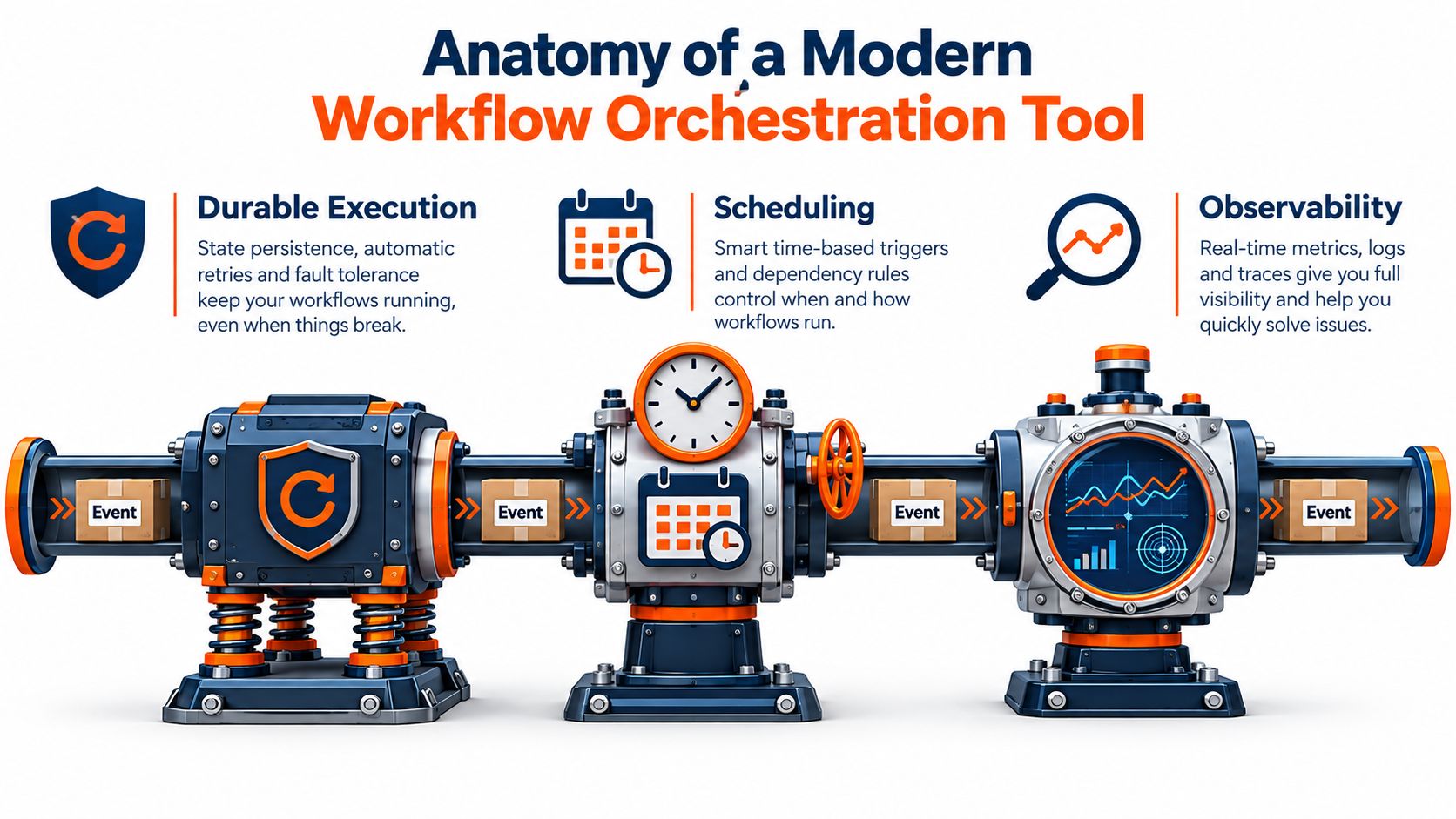
A modern orchestrator resembles a logistics facility. Durable execution is the ledger that remembers every package movement. Scheduling is the dispatch system that decides when a worker, container, or service receives the next package. Observability is the inspection network that reveals congestion, failed scans, retries, and packages sitting in the wrong bay.
Durable execution is the memory
Durable execution stores workflow state outside the worker process. If a worker disappears, the orchestrator can use persisted history to determine what completed and what remains. That capability depends on a metadata store, clear activity boundaries, retry policies, timeouts, and idempotency keys that prevent a repeated request from creating a second business effect.
The first break usually appears at the boundary between recorded state and an external side effect. Writing “payment requested” to the orchestration store doesn't prove that the payment provider accepted the request. Production designs need idempotent APIs, transaction identifiers, reconciliation paths, and explicit compensation logic.
Scheduling is dispatch
Scheduling covers time-based triggers, event-driven starts, dependency evaluation, concurrency limits, worker pools, and back-pressure. A scheduled data pipeline might wait for a partition, while an event-driven order process starts as soon as a message arrives. Event buses can reduce polling, but they introduce delivery, ordering, and replay decisions that the platform must make visible.
Scheduling tends to fail under burst load when teams treat worker capacity as an implementation detail. Queue depth, task duration, priority, and downstream rate limits belong in the operating model, not only in infrastructure configuration.
Observability is the nervous system
Observability connects workflow history with logs, metrics, traces, business identifiers, and operator actions. It should surface more than a red task box. Operators need to see where execution stalled, how often a step retried, whether a downstream system is slow, and whether a human approval is blocking the process.
For event-driven architectures, the event-driven software architecture guide provides useful context for the surrounding design. The orchestrator still needs its own execution history, because an event bus can deliver messages without explaining the business state created by each consumer.
Durable Execution Versus Scheduled Pipelines in Practice
Temporal and Apache Airflow solve different problems, and treating them as interchangeable creates expensive design mistakes. Temporal is built for durable, stateful execution of long-running business processes. Airflow is optimized for scheduled, batch-style data pipelines. The distinction affects recovery, side effects, team skills, and infrastructure ownership.
A billing reconciliation process illustrates the difference. It may call several financial systems, pause for an exception review, and resume after a worker or node failure. Temporal can resume from persisted workflow state, reducing the chance that every preceding activity runs again. Airflow generally re-runs task instances within its DAG-based scheduler and executor architecture, so task design must carefully manage retries and idempotency.
An hourly reporting pipeline is a more natural Airflow workload. Teams define dependencies as a DAG, schedule runs, inspect task logs, and use the platform's broad data ecosystem. Airflow's operational footprint typically includes a webserver, scheduler, executor, metadata database, and often a queue. Temporal commonly requires a server, workers, namespaces, and durable backing stores such as PostgreSQL, with Elasticsearch or Cassandra used in some deployments.
| Dimension | Temporal | Airflow |
|---|---|---|
| Primary execution model | Durable, stateful application workflows | Scheduled, batch-oriented DAG pipelines |
| Recovery behavior | Resumes from persisted workflow state | More commonly re-runs task instances |
| Unit of work | Activities inside a long-running workflow | Tasks connected in a DAG |
| Best side-effect profile | Multi-step transactions with explicit idempotency and compensation | Data transformations and pipeline tasks designed for repeatable execution |
| Operational footprint | Server, workers, namespaces, and durable storage | Webserver, scheduler, executor, metadata database, and often a queue |
| Strongest team fit | Application and platform engineers | Data engineering and analytics teams |
The operational trade-off is straightforward. Temporal buys stronger recovery semantics at the cost of more stateful infrastructure and a different programming model. Airflow offers an extensive ecosystem, with Astronomer's Airflow connector overview citing more than 2,000 connectors, but DAG sprawl and scheduler operations become real governance concerns.
Use Temporal for long-running, failure-prone business processes. Use Airflow for scheduled analytics and ETL where DAG-based execution, Python skills, and connector breadth matter more than application-level durable state. Teams operating both should define a clear boundary instead of allowing every group to choose by habit. The enterprise CI/CD architecture guidance is relevant when workflow definitions become deployable software and must pass the same release controls as application code.
Enterprise Selection Criteria That Actually Predict Success
A vendor demo rewards visible features. Production rewards the criteria that survive failure, audits, ownership changes, and volume growth. Score tools against your dominant workload shape, then force the committee to document which trade-off it accepts.
Build a workload-weighted decision
Use a simple weighted matrix. Assign the highest weight to the criterion your business can't compromise on, score each candidate against evidence from a proof of concept, and record the operational cost behind every score. Don't give “AI capabilities” a high score merely because a product can generate a workflow from a prompt.
| Criterion | Transactional Workloads | Batch & Analytics | Human-in-Loop |
|---|---|---|---|
| Scalability under burst load | Prioritize fast event intake and controlled concurrency | Prioritize worker capacity and queue management | Prioritize predictable capacity around approval peaks |
| Observability depth | Trace side effects by transaction and recovery point | Trace task lineage, retries, and data freshness | Trace decisions, reviewers, escalations, and overrides |
| Security model | Enforce least privilege per activity and service | Separate environments, connections, and data access | Control reviewer roles, delegation, and sensitive records |
| Compliance posture | Preserve immutable execution history and compensation records | Preserve lineage, schedules, and transformation evidence | Preserve approvals, policy evaluations, and human actions |
| Lock-in exposure | Export workflow state and retain portable activity contracts | Protect DAG definitions, metadata, and connector alternatives | Export policies, forms, audit trails, and decision logic |
| Total cost of ownership | Include platform operations and incident response | Include scheduler, executor, and data-platform expertise | Include process owners, reviewers, and governance administration |
Scalability isn't just the ability to launch more workers. Aggressive autoscaling can conflict with data-residency constraints or downstream service limits. Observability can become proprietary when deep telemetry depends on vendor agents, reducing portability even if workflow code is exportable.
Security and compliance also pull against convenience. A low-code platform may broaden access, while a code-first platform can provide stronger testing and version control for engineers. Neither is automatically safer. The relevant question is whether the platform maps permissions, audit trails, secrets, approvals, and deployments to your actual control framework.
Expose the hidden operating cost
Open-source software can lower license expense while increasing operator headcount. Managed services reduce infrastructure work while increasing dependency on vendor APIs, pricing, deployment regions, and proprietary control planes. Score the people required to run the system, not just the software invoice.
Refuse to compromise on the criterion that protects your business outcome. Let the remaining criteria flex around it, but document the consequences.
For regulated transaction processing, durable recovery and auditability usually lead. For batch analytics, ecosystem coverage and scheduling ergonomics often matter more. For human-in-the-loop work, approval governance and traceable decision state should outrank visual polish.
Governance Portability and the Operating Model Question
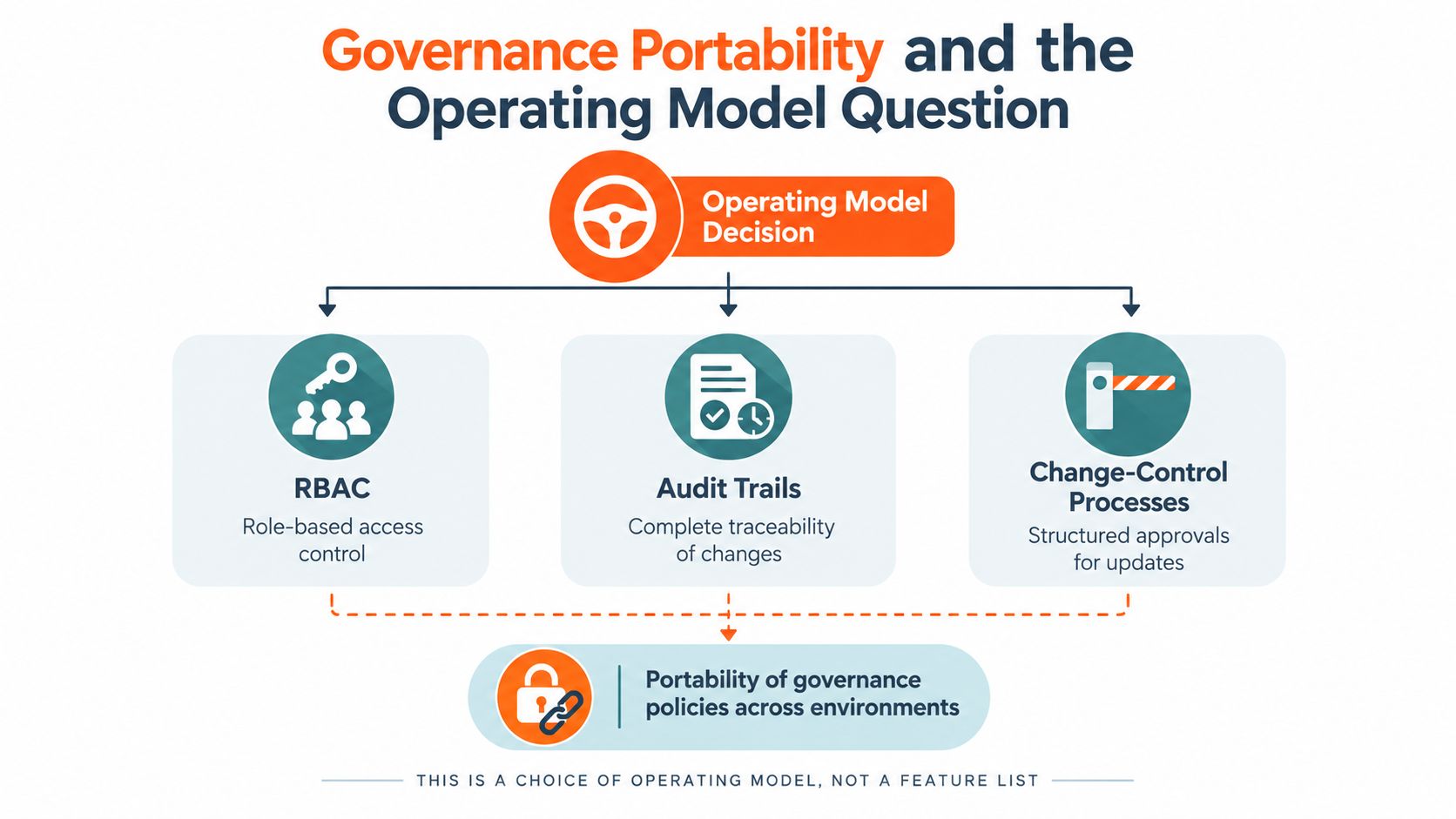
The wrong buying question is “Which workflow orchestration tool has the most features?” The better question is “Who owns the control plane, and what rules will every team follow when workflows cross environments?”
Governance includes RBAC, audit trails, change control, secret management, deployment policy, and verification of AI-generated steps. A workflow that an AI assistant creates still needs tests, approval gates, version history, and an accountable owner. AI can accelerate construction, but it doesn't remove the need to validate outputs, constrain failure paths, or measure business impact.
Control-plane sprawl is an architecture problem
A large estate may include mainframes, Kubernetes, SaaS APIs, data platforms, and human service desks. Each orchestrator can become a second source of truth for business logic. Add separate dashboards, credential stores, policy engines, and alerting systems, and the enterprise gains more automation while losing a coherent operational picture.
A practical maturity ladder looks like this:
- Tool-centric: Each team selects its own platform and defines local practices.
- Federated: Teams retain specialized tools but share identity, deployment standards, and audit requirements.
- Platform-centric: A shared control plane governs extensions, ownership, policy, observability, and portability.
Portability isn't achieved by avoiding one vendor name. It means keeping workflow definitions, secrets references, execution history, and observability data exportable enough to support migration or multi-platform operation. It also means separating business policy from platform-specific syntax where possible.
The market is moving from isolated scheduled jobs toward event-driven, API-centric, composable workflows, which makes hybrid governance more important. Visual interfaces can broaden participation, but advanced teams still need code-first extensibility, testing, version control, and policy-aware deployment. Buyers should therefore evaluate operating-model maturity before comparing feature checklists.
Migration and Modernization Without Unnecessary Downtime
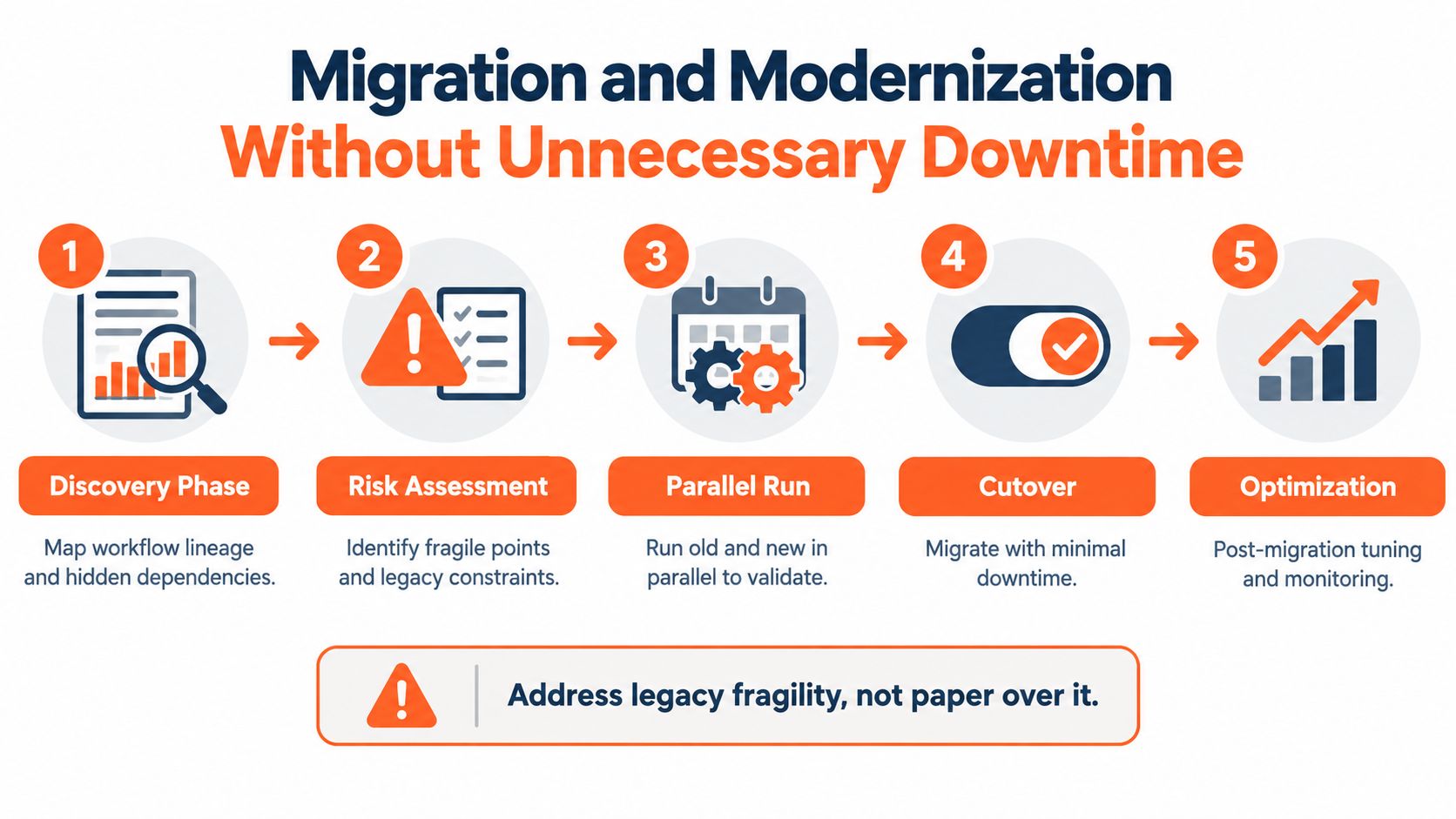
A workflow migration fails when the team moves definitions before it understands state. Start with discovery, not platform installation.
Map the real process first
Inventory every workflow, trigger, dependency, owner, credential, side effect, retry rule, and manual intervention. Mark which steps are idempotent. A task that reads data can usually be repeated safely. A task that charges a customer, sends a notification, or mutates inventory needs a stable idempotency key or a compensating action.
Use this sequence:
- Discover lineage: Map upstream and downstream systems, hidden dependencies, state stores, and manual handoffs.
- Assess risk: Identify fragile tasks, non-repeatable effects, undocumented schedules, and legacy constraints.
- Run in parallel: Deploy the new orchestrator beside the existing scheduler and route a controlled slice of work.
- Prove recovery: Kill workers, interrupt dependencies, replay events, and confirm that recovery doesn't duplicate side effects.
- Cut over deliberately: Move ownership only after operators can diagnose and reverse the new path.
- Optimize afterward: Tune concurrency, alerts, storage, and runbooks after production evidence replaces assumptions.
Version state, not just code
Treat workflow definitions as deployable artifacts with semantic versioning, compatibility rules, rollback hooks, and shadow runs. Long-running durable workflows can't always be reverted safely because in-flight instances may depend on the old state model. Add migration handlers and compensation logic before the first cutover, not after an incident.
A greenfield workflow can adopt the target platform directly. A brownfield workflow needs state-store migration, secret rotation, dual-run reconciliation, and operator training. Assign a dedicated migration engineer. Architects can define the target design, but migrations stall when nobody owns the daily mapping, testing, exception handling, and cutover preparation. The legacy modernization guide for business growth offers complementary context for treating fragility as an architectural constraint rather than hiding it behind a new interface.
Popular Workflow Orchestration Tools and Where They Fit
Tool selection should follow workload shape and team capability. No platform wins every category, and marketing language often collapses important differences between batch scheduling, durable application execution, Kubernetes control, and business process management.
| Tool | Primary Workload | Execution Model | Best-Fit Team |
|---|---|---|---|
| Apache Airflow | Python-native ETL and scheduled analytics | DAG-based scheduling and task execution | Data engineering teams |
| Temporal | Long-running transactional processes | Durable, stateful execution | Application and platform engineers |
| Netflix Conductor | Distributed business workflows | Service-oriented workflow orchestration | Platform teams with distributed-systems experience |
| Prefect | Pythonic data workflows | Code-first flow orchestration | Data engineers seeking lighter ergonomics |
| Dagster | Data assets and pipeline operations | Asset-aware orchestration | Data-platform teams focused on lineage |
| Argo Workflows | Kubernetes-native jobs | Container and Kubernetes workflow execution | Kubernetes platform teams |
| AWS Step Functions | AWS-native event-driven processes | Managed state-machine orchestration | AWS-standardized developer teams |
| Azure Logic Apps | Microsoft and Azure integrations | Managed connector-based workflows | Azure and Microsoft integration teams |
| Camunda | BPMN and governed business processes | Process orchestration with human tasks | Engineering teams using open standards |
| Temporal decision automation suite | Human-in-the-loop business decisions | Durable workflow execution with decision logic | Platform teams governing complex processes |
Apache Airflow is the default choice for Python-heavy batch pipelines when DAG scheduling and ecosystem access dominate. Temporal is the stronger fit when a process must survive worker failure, wait for people, and protect multi-step side effects. Prefect and Dagster appeal to data engineers who want Pythonic development without adopting every operational component associated with larger platforms.
Argo Workflows belongs with Kubernetes-native platform teams. AWS Step Functions and Azure Logic Apps are sensible when deep hyperscaler integration outweighs portability. Camunda is compelling for BPMN-based processes where business-readable models and governed human tasks matter, while Conductor suits teams comfortable operating distributed workflow infrastructure.
Teams already committed to Azure should also evaluate the architecture and governance implications of their data platform rather than treating orchestration as a standalone purchase. The Kagool ADF consulting for CIOs resource is useful context for that decision.
devPulse offers process automation, workflow orchestration, cloud migration, resilience engineering, and AI systems engineering for enterprises that need to connect legacy platforms, modern services, and governed automation. It belongs in the evaluation when the problem requires architecture and implementation support, not merely a scheduler license.
What to Ask Any Vendor Before You Sign
Adding an orchestrator can reduce local scripting while increasing global complexity. You may gain one runtime and inherit another control plane, connector catalog, policy layer, deployment process, and cost model. Procurement should force vendors to demonstrate the operational reality, not just the happy path.
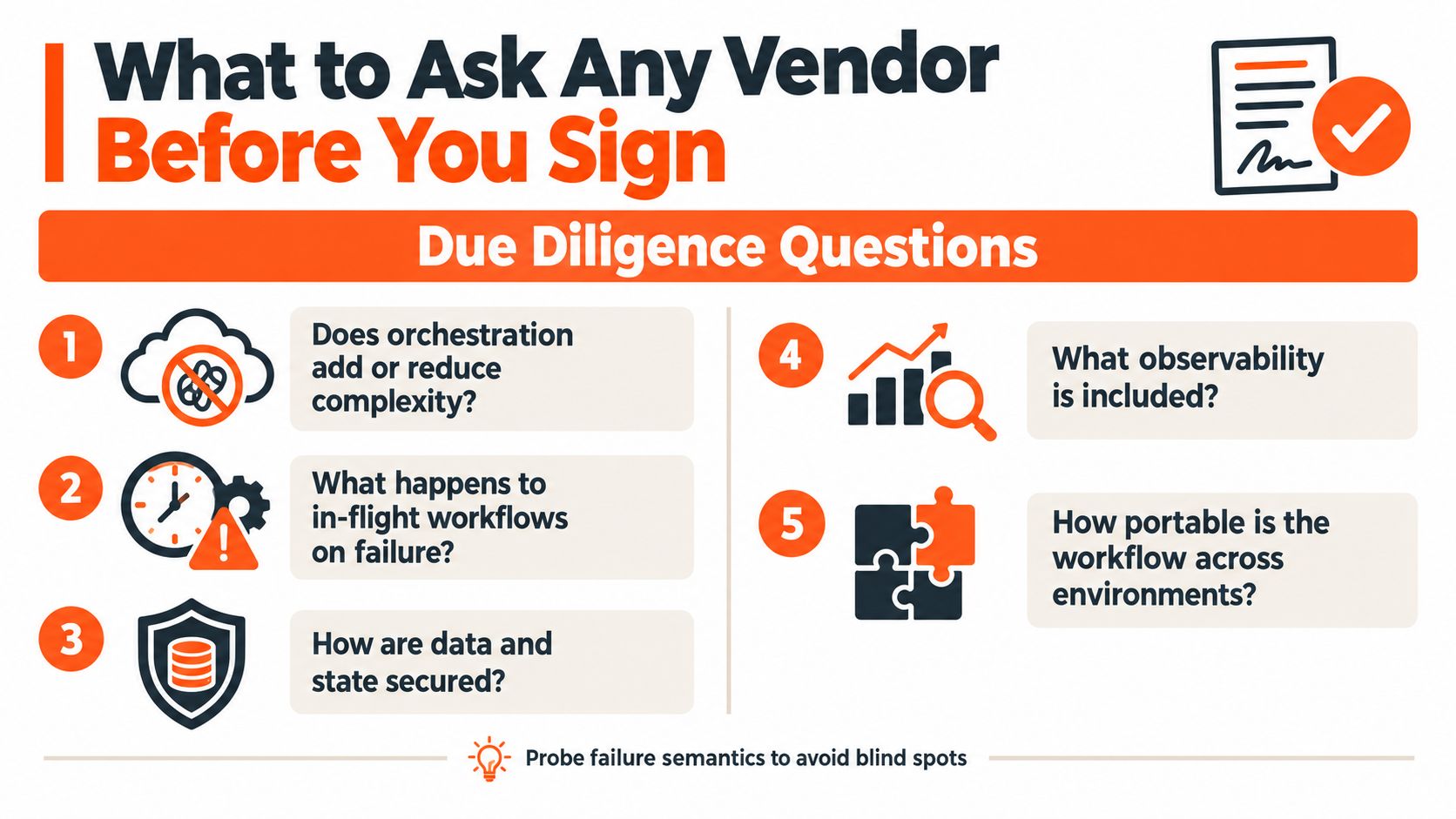
Ask these questions in a technical workshop with your own workflow definitions:
- Failure semantics: What happens to in-flight workflows when the control plane or a region fails? Is recovery automatic, operator-driven, or dependent on a support ticket?
- Side-effect safety: How does the platform distinguish a failed request from an unknown outcome? Show the idempotency and compensation pattern for a payment or inventory action.
- Version compatibility: What happens to running instances when the workflow definition changes? Can you deploy a new version, observe old instances, and roll back without downtime?
- Cost behavior: Show the cost model at ten times current volume, including workers, state storage, connectors, telemetry, retries, and support. Don't accept a toy demonstration as evidence.
- Security controls: Where do workflow state, secrets, logs, and execution payloads reside? Who controls encryption keys, and can audit logs be exported in an immutable form?
- Portability: Can you export workflow definitions, policy rules, execution history, and observability data? Which parts require proprietary services to keep working?
- Control-plane count: How many dashboards, credential stores, connectors, policy engines, and alerting systems will operators govern after deployment?
Ask the vendor to break its own demo. A graceful response to failure is more valuable than another successful workflow run.
A serious proof of concept should include a partial outage, a duplicated event, a changed workflow version, a revoked credential, a human approval timeout, and a recovery exercise. Require written answers and attach the accepted failure semantics to the contract.
devPulse helps enterprise teams assess workflow boundaries, design governed orchestration architectures, modernize legacy systems, and implement resilient automation across cloud, on-premises, SaaS, and AI services. Visit devPulse to discuss your workflow portfolio, migration risks, and the operating model your teams can run.